Bulk Meta Fields Update: Effortless WordPress Metadata Management in 2025
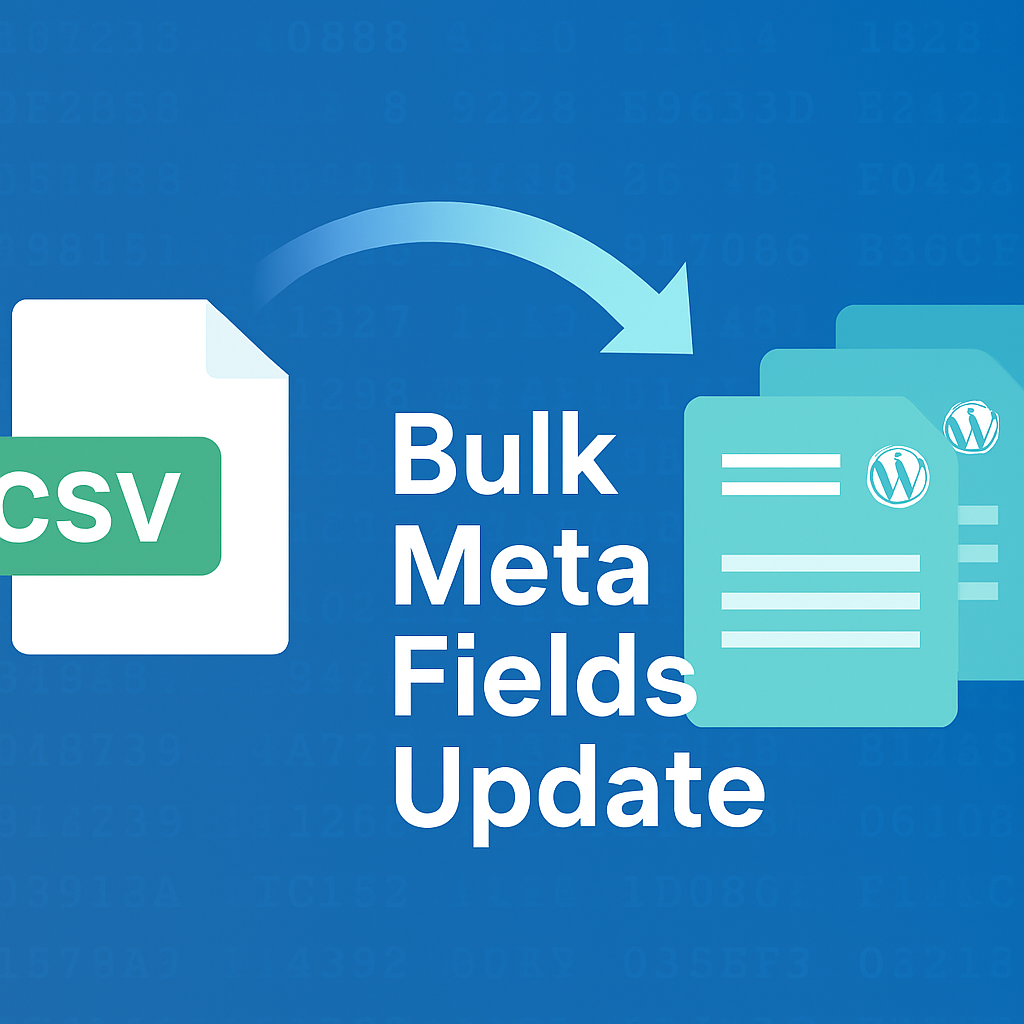
Managing custom meta fields across dozens or hundreds of posts used to mean tedious manual edits or risky SQL scripts. In 2025, the Bulk Meta Fields Update plugin changes the game by letting you import, update, and audit post meta in seconds using a simple CSV upload. Whether you’re a content manager, SEO specialist, or developer, this tool streamlines metadata workflows while enforcing rock-solid security and logging.
The Metadata Bottleneck
WordPress posts, pages, products, events, portfolios—all rely on post meta to store custom fields: SEO tags, ACF values, WooCommerce attributes, and more. When you need to adjust those values in bulk, you face a few unpalatable options:
- Manually opening every post in the editor
- Crafting custom SQL queries against
wp_postmeta - Hiring a developer for a one-off script
Each approach carries risk. Human error in manual updates can leave stale data. Direct database edits can corrupt tables without proper sanitization. And custom scripts aren’t reusable or transparent.
Introducing Bulk Meta Fields Update
Bulk Meta Fields Update solves these challenges by providing a dedicated admin interface under Tools > Bulk Meta Fields Update. You simply prepare a CSV where each row links a post (by URL or ID) to your desired meta value. Upload it, and the plugin:
- Finds each post safely
- Sanitizes every input
- Creates missing meta keys or updates existing ones
- Logs every single change
No more hand-editing or raw SQL. The entire process happens within WordPress, leveraging its APIs and security layers.
Key Features
- Bulk update or add custom meta fields via CSV upload
- Identify posts by absolute URL or numeric ID
- Compatible with all public custom post types (excluding Media)
- Nonce verification and capability checks block unauthorized use
- Detailed logging: username, post ID, meta key, value, timestamp
- Sample CSV download to get you started instantly
- Maximum upload size 2 MB; split larger sets into chunks
How It Works
- Prepare your CSV
Your file needs two columns and no header line. Column 1 is the Post URL or Post ID, Column 2 is the meta value. Example (using IDs): - Upload in WordPress
Go to Tools > Bulk Meta Fields Update, select the target post type, enter your meta key (e.g.,product_status), and choose your CSV. - Processing
Each row is validated for a valid post reference and sanitized for safe database insertion. Missing meta keys get created automatically; existing values are overwritten. - Review the summary
A results screen shows successes and flags any errors (such as invalid URLs or skipped rows). - Inspect logs
Check/wp-content/plugins/bulk-meta-fields-update/logs/upload-log.csvto see every change, complete with the username and timestamp.
Real-World Use Cases
- Add or update SEO descriptions across hundreds of blog posts in one go
- Batch-set ACF fields for a new product line in WooCommerce
- Import metadata from external CRMs or marketing platforms
- Adjust event details for calendar plugins after schedule changes
- Mass-tag portfolio items with project categories
Security and Compliance
Security underpins every feature of Bulk Meta Fields Update. Only administrators (users with the manage_options capability) can run bulk imports. The plugin enforces:
- Nonce verification to prevent CSRF
- File validation to allow only CSV uploads
- Size limits to protect server resources
- Sanitization of all inputs using WordPress APIs
- .htaccess-protected log files to guard audit trails
You maintain full control and visibility into every operation, ensuring compliance with corporate or industry policies.
Installation and Setup
- Download and install the plugin from WordPress.org:
https://wordpress.org/plugins/bulk-meta-fields-update/ - Activate Bulk Meta Fields Update via the Plugins screen.
- Navigate to Tools > Bulk Meta Fields Update.
- Download the sample CSV, fill in your data, then upload.
Within minutes, you’ll see all your meta values updated without touching a single post editor or database console.
Tips for Success
- Always back up your database before running bulk operations.
- Use consistent identifiers (all URLs or all IDs) in a single CSV.
- Keep file sizes under 2 MB or split into multiple uploads.
- Review the plugin’s upload logs before and after major imports.
- Reference ticket or issue IDs in your meta values for traceability.
Conclusion
In 2025, efficiency and security are non-negotiable in modern WordPress workflows. Bulk Meta Fields Update delivers both by unifying metadata management into a single, auditable CSV upload. It empowers content teams, developers, and SEO pros to move faster, shave hours off repetitive tasks, and maintain perfect audit trails.
Ready to revolutionize your WordPress metadata workflow? Install the plugin today and see how quickly you can go from CSV to updated posts:
Unlock seamless bulk meta field updates—no scripts, no stress, just results.
Rudra Tech Talk · WordPress & WooCommerce development
Need a custom WordPress or WooCommerce plugin?
We build custom plugins, themes and integrations to WordPress coding standards, and publish our own on WordPress.org.
Discuss your project →Explore WordPress & WooCommerce development