WooCommerce REST API Authentication Explained (Beginner-Friendly Guide)
Introduction
WooCommerce REST APIs are widely used for:
- Mobile apps
- CRM integrations
- ERP systems
- External order syncing
Understanding authentication is critical before exposing APIs publicly. This article explains how authentication works in WooCommerce REST APIs, with practical examples.
Available Authentication Methods
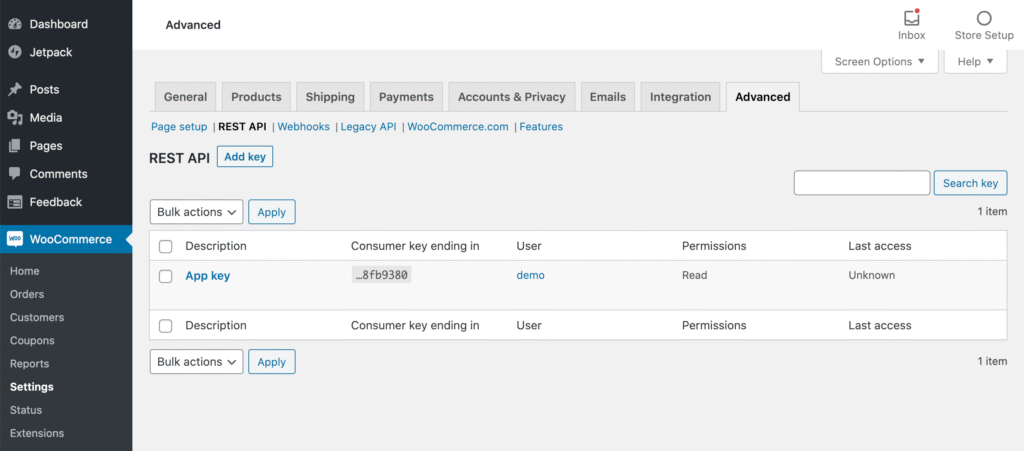
1. Consumer Key & Secret (Most Common)
Generated from:
WooCommerce → Settings → Advanced → REST API
Used mainly for:
- Server-to-server communication
2. Application Passwords (WordPress 5.6+)
Safer alternative for internal tools.
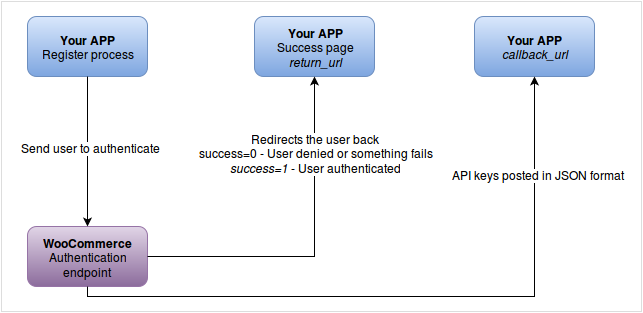
3. OAuth 1.0a (Legacy)
Used mainly in older implementations.
Example API Request Using cURL
curl https://example.com/wp-json/wc/v3/orders \
-u ck_xxxxxxxxx:cs_xxxxxxxxx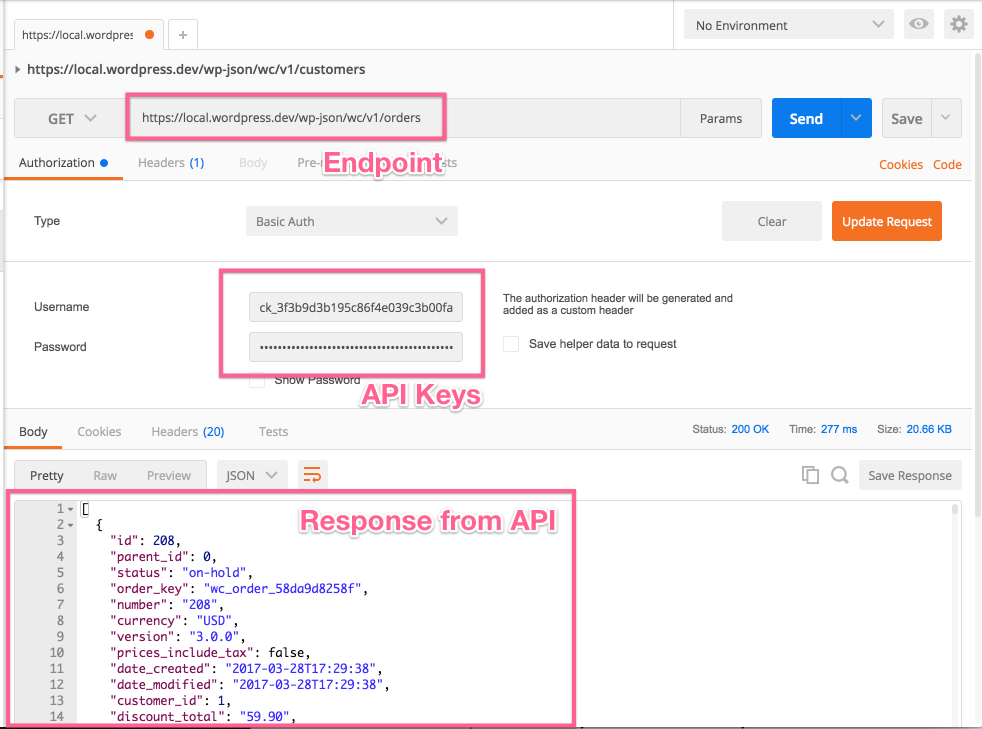
Security Best Practices
- Never expose keys in frontend JavaScript
- Rotate API keys periodically
- Restrict permissions (Read / Write)
- Use HTTPS only
Common API Errors and Fixes
| Error | Reason |
|---|---|
| 401 Unauthorized | Invalid keys |
| 403 Forbidden | Insufficient permission |
| 404 Not Found | Incorrect endpoint |
Conclusion
WooCommerce REST APIs are powerful but must be handled securely. Always use server-side authentication and never expose secrets on the client side.
FAQ – WooCommerce REST API Authentication
Q1. Can I call WooCommerce API from JavaScript?
No. API keys must never be exposed on the frontend. Use a backend proxy instead.
Q2. Which authentication method is recommended?
Consumer Key & Secret for server-side use. Application Passwords for internal tools.
Q3. Is OAuth still required?
No. OAuth is largely deprecated for WooCommerce APIs.
Q4. Can I restrict API access to specific IPs?
Yes, using server firewall rules or middleware.
Q5. Are WooCommerce APIs rate-limited?
Not by default. You should implement rate limiting on the server.