WooCommerce Hook Cheat Sheet for Product Page Customization
Introduction
WooCommerce hooks allow developers to modify product pages without editing template files. Understanding hooks is essential for scalable and update-safe customizations.
This guide explains the most useful hooks for single product pages with real examples.
What Are Hooks?
Hooks allow you to:
- Insert content
- Modify existing output
- Remove default elements
Two types:
- Actions
- Filters
Most Used Product Page Hooks
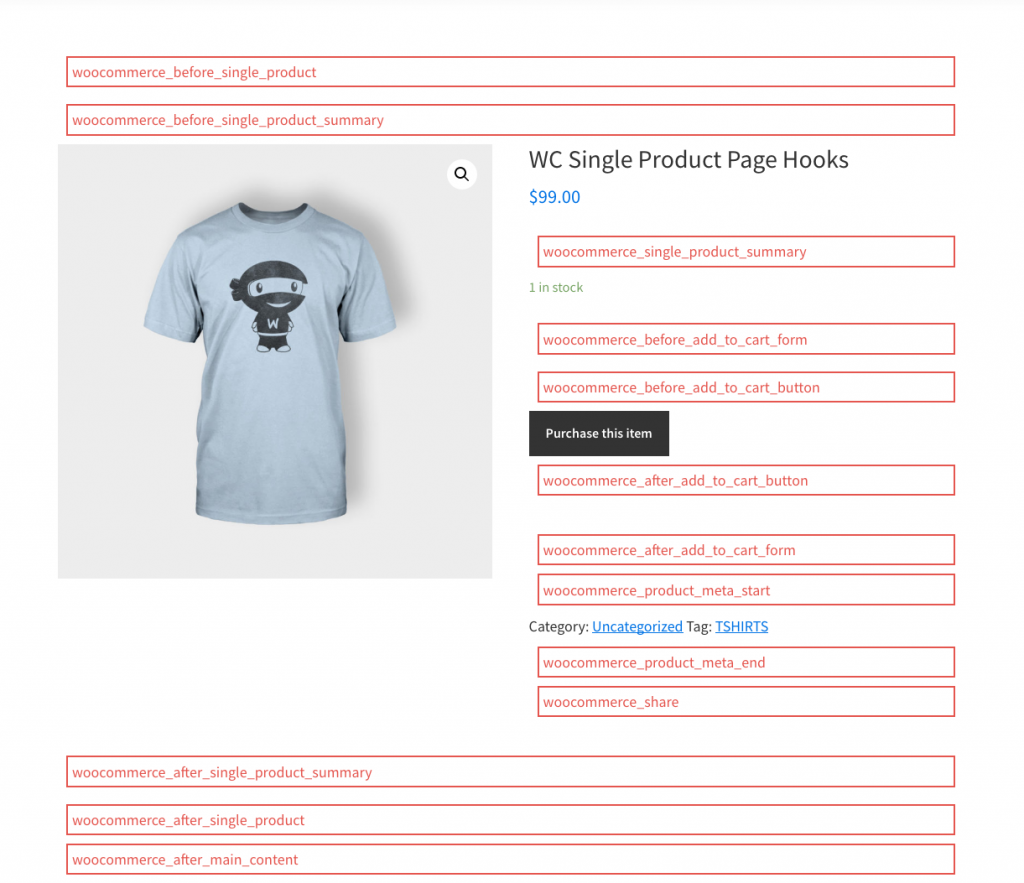
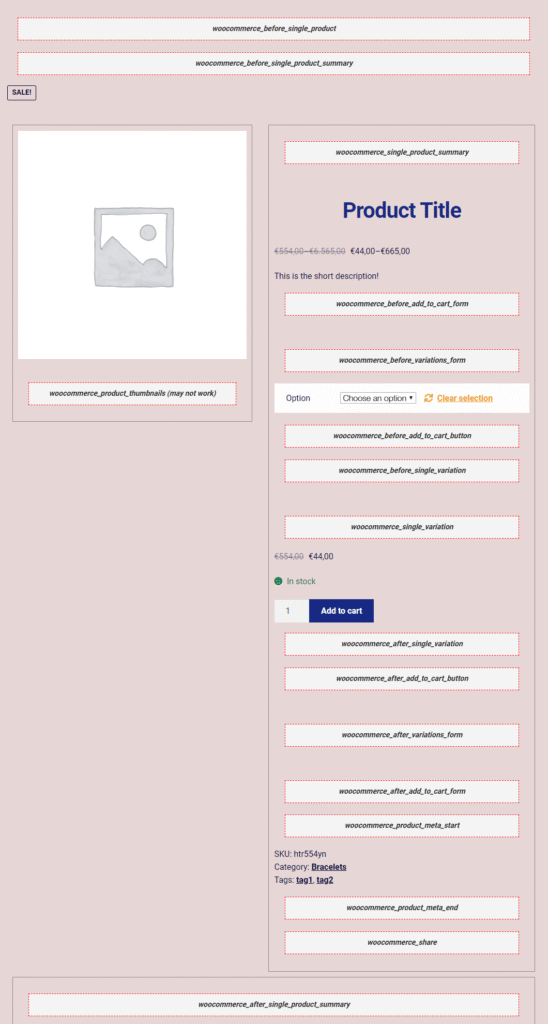
woocommerce_before_single_product
woocommerce_before_single_product_summary
woocommerce_single_product_summary
woocommerce_after_single_product_summary
woocommerce_after_single_product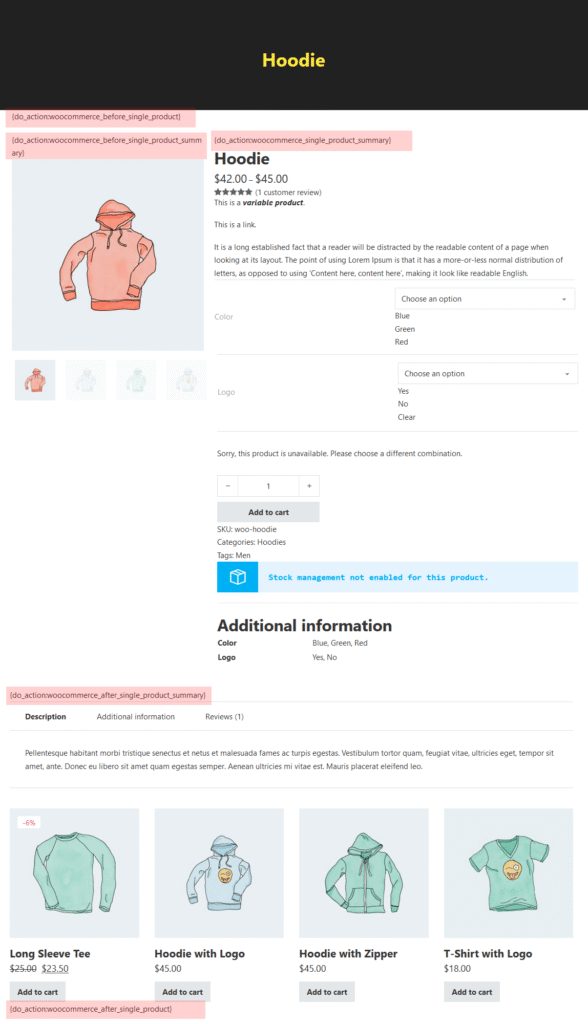
Example: Add Message Below Price
add_action('woocommerce_single_product_summary', 'rudra_free_shipping_msg', 15);

function rudra_free_shipping_msg() {
    echo '<p class="free-shipping">Free Delivery Available</p>';
}
Remove Default Elements
remove_action('woocommerce_single_product_summary', 'woocommerce_template_single_rating', 10);Best Practices
- Never edit WooCommerce templates directly
- Use priority wisely
- Keep logic inside plugins for reuse
Conclusion
Hooks are the foundation of WooCommerce customization. Mastering them makes you faster, cleaner, and future-proof as a developer.
What is the difference between WooCommerce actions and filters?
Actions allow you to add or trigger functionality, while filters allow you to modify existing data before it is displayed.
Is it safe to use WooCommerce hooks instead of editing template files?
Yes. Hooks are the recommended and update-safe way to customize WooCommerce behavior.
How do I know which hook to use on a product page?
You can refer to WooCommerce hook documentation or inspect template files like content-single-product.php to understand hook placement.
Can hooks slow down my WooCommerce store?
No, as long as the hooked functions are lightweight and well-written. Poorly written logic inside hooks can affect performance.
Should I place hook code in functions.php or a plugin?
For reusable or production logic, a custom plugin is recommended over functions.php.